Managing stock across branches in Sabah and Sarawak: how to stop losing stock between towns
Why stock goes missing between branches in Kuching, Miri, Kota Kinabalu, Sandakan and Tawau, and how scanning and a WMS track every transfer.
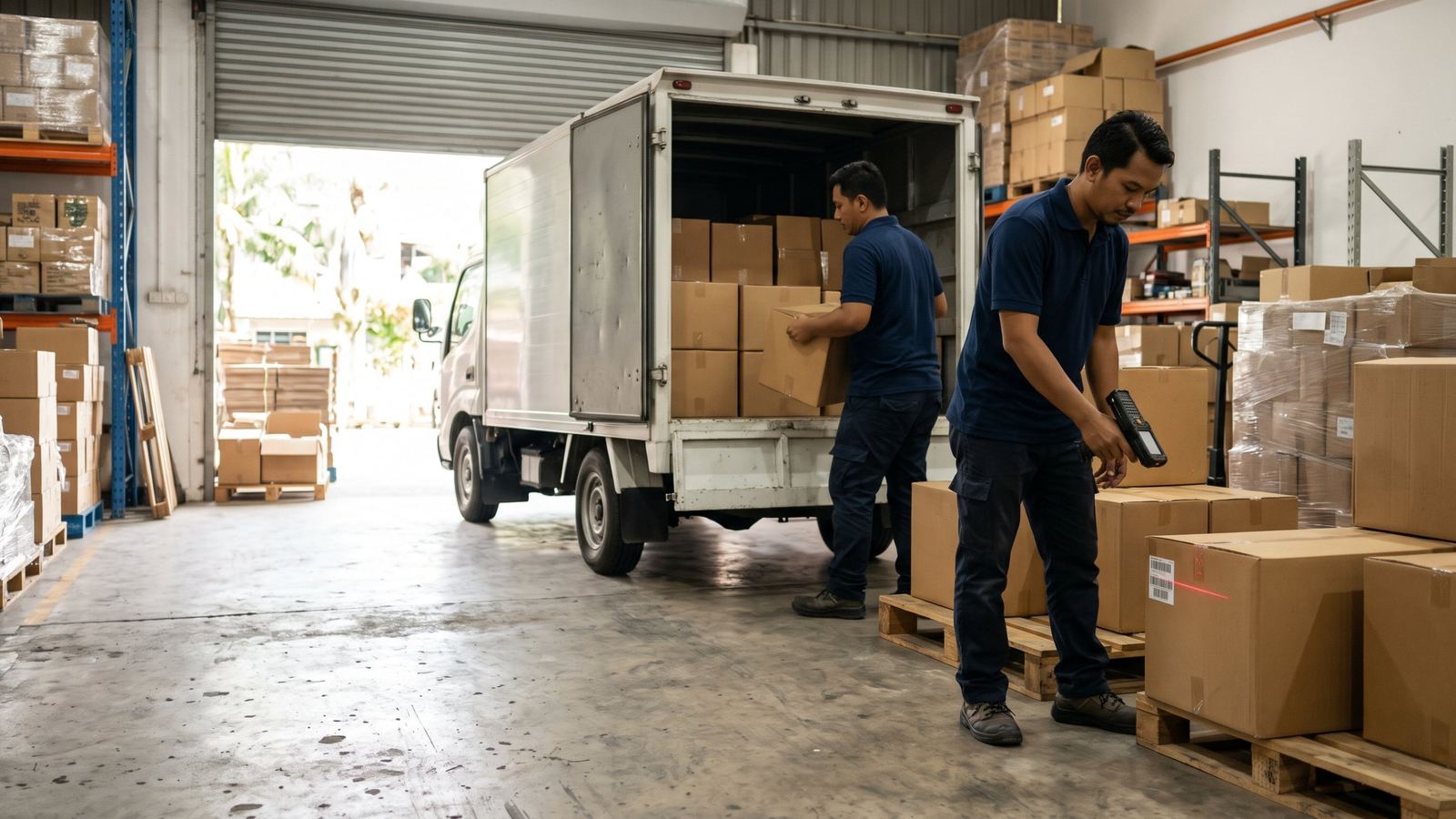
For a distributor with branches in Kuching and Miri, or in Kota Kinabalu, Sandakan and Tawau, the hardest stock to control is not on the shelf. It is the stock on the road between two branches.
Cartons leave one town, travel for hours or days, and arrive at a branch that may not record them until someone has time to update the spreadsheet. Until then, the stock belongs to nobody: it is gone from one system and not yet in the other.
This guide explains why branch stock goes missing in East Malaysia, and how scanning stock out, scanning it in, and running every branch on one warehouse management system (WMS) closes the gap.
Why branch stock is harder to control in East Malaysia
In the Klang Valley, two branches are often an hour apart. In Sabah and Sarawak, they can be a full day apart, and that changes how stock moves.
- Long road trips between branches. Kuching to Miri is about 800 km by road. Kota Kinabalu to Sandakan or Tawau is a long drive too. Stock spends hours or days in transit, and plenty can happen on the way.
- Stock moves by road and by sea. Some branches are restocked straight from Peninsular Malaysia by ship, others by lorry from the main warehouse. Two routes means two kinds of delay to track.
- Each branch keeps its own records. Many businesses run a separate Excel file or accounting entry per branch, updated at the end of the day or the end of the week.
- Replacing stock is slow. When one branch runs out, the quickest fix is a transfer from another branch. That only works if the stock count at the other branch is right.
A transfer between two branches is a sale to yourself. If nobody checks it in, the stock simply disappears.
Where stock goes missing between branches
The same gaps show up whether the business is a hardware supplier in Pending, a food distributor in Kolombong or a parts store in Kuala Baram:
- Sent but never received. The Kuching branch deducts 40 cartons. The Miri branch is busy and records them three days later, or not at all. For those three days, the business has 40 fewer cartons on paper than on the floor.
- Counted twice. The sender has not deducted the stock yet, and the receiver has already added it. Sales staff at both branches promise the same cartons to different customers.
- Short deliveries nobody notices. 40 cartons were packed, 38 arrived. Without a check at receiving, the missing 2 only show up at the next stock take, months later.
- Stock borrowed by phone. A salesperson calls the other branch, a few units go out on the next lorry, and the paperwork never follows.
- Wrong item, right count. The right number of cartons arrives, but one is the wrong size or the wrong flavour. The count looks fine and the mistake stays hidden.
- No view of what is on the road. Management cannot see how much stock is in transit at any moment, so the same item gets reordered from the supplier while it is already on its way to the branch that needs it.
Each of these is small on its own. Over a year, across several branches, they add up to stock written off at every stock take with no clear reason why.
Step 1: scan out, scan in
The simplest fix is a rule: nothing leaves a branch without being scanned out, and nothing is put on a shelf without being scanned in.
Scanning out with a handheld computer (PDA) or barcode scanner records exactly which items and how many left, against a transfer number. Scanning in at the other end checks every carton against that same transfer. A short delivery or a wrong item shows up at the receiving door, not at the next stock take.
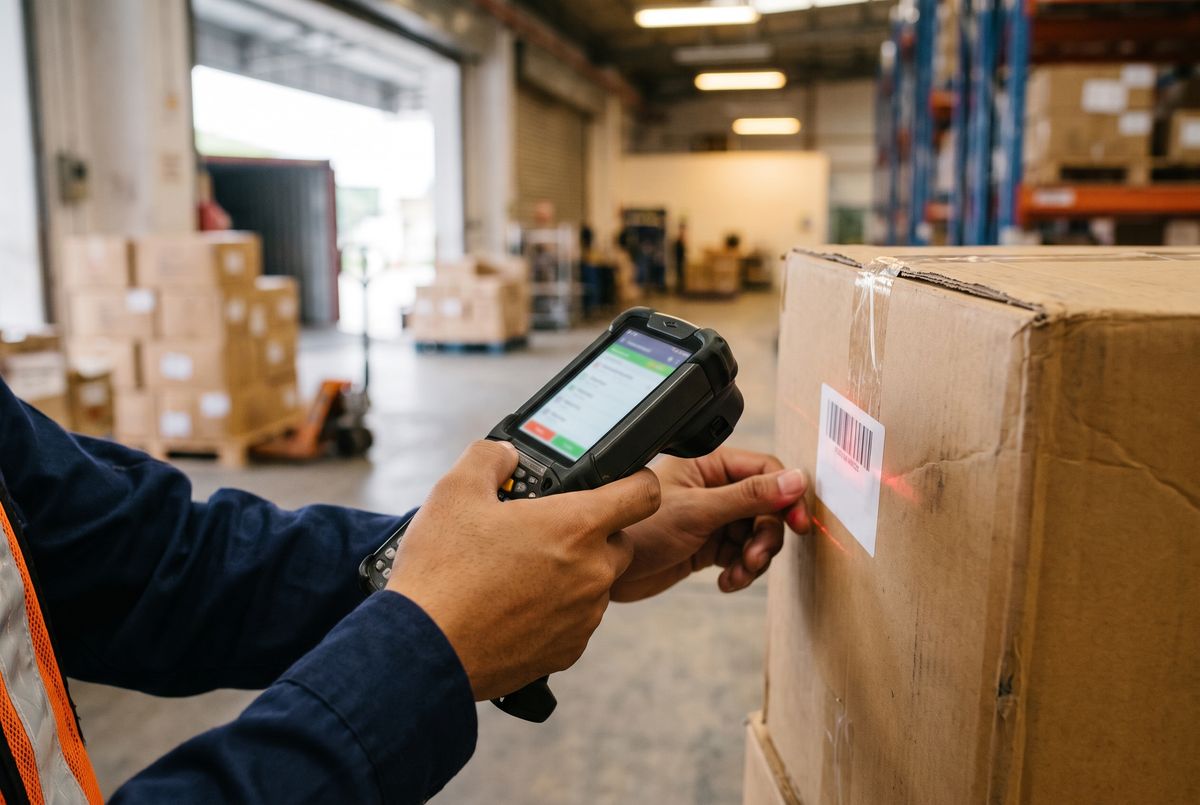
This needs three things: barcode labels on every product and carton, a scanner or PDA at each branch, and a system that holds the transfer between the two scans. For a closer look at the devices:
Step 2: one live stock view across every branch
Scanning fixes the data. A warehouse management system puts every branch in one place, so stock moves through three clear states: at Branch A, in transit, and at Branch B.
| What happens | Excel and WhatsApp | Scanning with a WMS |
|---|---|---|
| Stock on the road | Not shown anywhere | Shown as in transit, with transfer number and date sent |
| Short or wrong delivery | Found at the next stock take | Flagged when the receiving branch scans in |
| Stock at other branches | A phone call to check | Visible to sales staff at every branch |
| Reordering | Based on one branch's count | Based on all branches plus stock in transit |
| Stock take | Closing for the weekend | Cycle counts by rack, branch by branch |
The WMS supplied by Sinar Niaga is used by manufacturers, distributors and logistics companies across Southeast Asia. It gives one live view of stock across every warehouse and branch, including stock in transit, and links with local accounting systems and ERP.
A sample transfer: Kuching to Miri
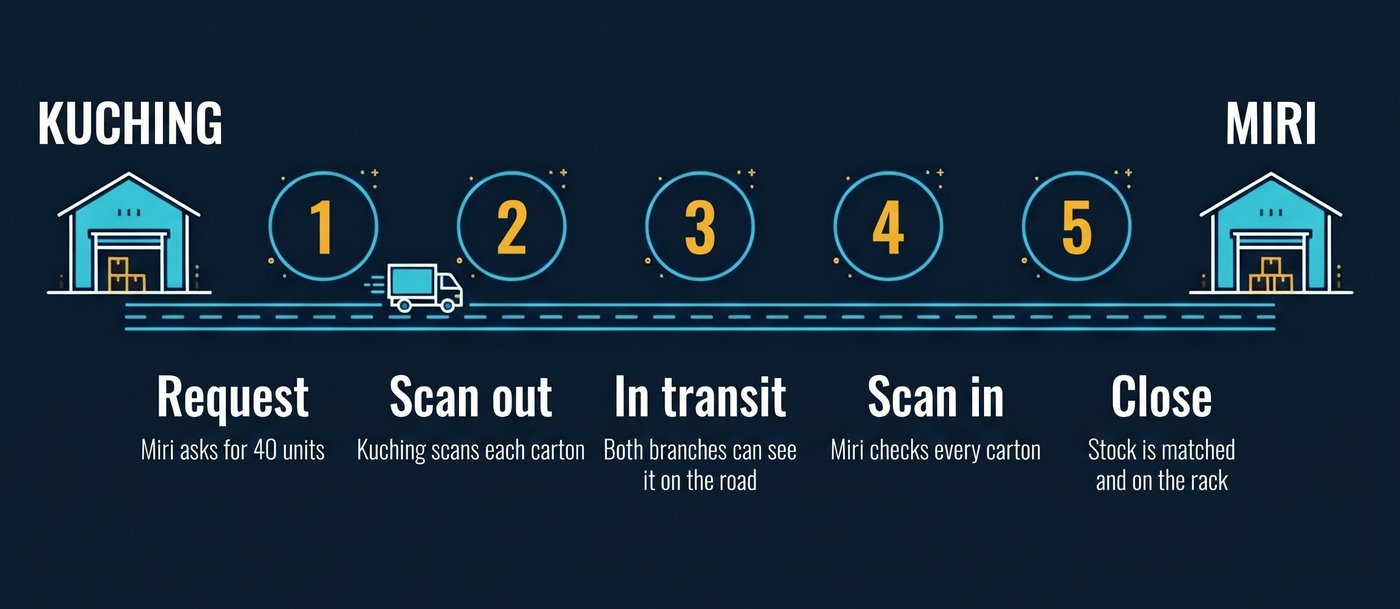
- Request. Miri is low on an item. Staff check the WMS, see 120 units in Kuching, and raise a transfer request for 40.
- Pick and scan out. Kuching picks the 40 units, scanning each carton against the transfer. The WMS moves them from Kuching to in transit.
- On the road. Sales staff in both branches can see the 40 units in transit, so nobody sells them twice or orders more from the supplier.
- Scan in. Miri scans each carton at the receiving door. If 38 arrive, or one carton is the wrong item, the WMS flags it straight away.
- Close. The matched units move into Miri stock and onto a labelled rack. Both branches' counts are right, without a phone call or a spreadsheet.
The same flow works from Kota Kinabalu to Sandakan or Tawau, and from a main warehouse to a retail outlet in the same town.
What this looks like across Sabah and Sarawak
Kuching and Miri. A main warehouse in Pending or Demak Laut often supplies a branch in Kuala Baram or Piasau. With about 800 km between them, a transfer can be on the road for a day or more, so the in transit view matters most on this route.
Kota Kinabalu, Sandakan and Tawau. Many Sabah distributors hold stock near the port at KKIP or in Kolombong and Inanam, then send it east to Sandakan and Tawau. Some branches are also restocked by sea, so the WMS needs to show stock arriving from both directions.
One town, several sites. Plenty of businesses never leave one city: a main store in Kolombong with a retail outlet in town, or a warehouse in Pending with a showroom nearby. Daily small transfers between sites are where stock leaks most often, because each move feels too small to record.
Wherever the branches are, the rule is the same: one system, every move scanned at both ends.
How to get started
- Pick the busiest route. Start with the two branches that move the most stock between them, not every branch at once.
- Label everything that moves. Products, cartons and rack locations all get a barcode. A label printer at the sending branch is usually enough to start.
- Put a scanner at both ends. A handheld computer at dispatch and at receiving, with staff trained to scan every carton.
- Run one transfer process. Every move gets a transfer number, scanned out and scanned in. No phone transfers.
- Add the other branches. Once the first route runs cleanly, bring the rest onto the same system.
Sinar Niaga supports businesses in Kota Kinabalu, Kuching, Miri, Sandakan and Tawau with remote assessment, setup and training. Hardware usually arrives within 1 to 2 weeks*, and on site demos can be arranged for qualified projects*. Related reading:
- Warehouse management in Sabah and Sarawak: how barcode systems and WMS cut costly stock errors
- 5 signs your Malaysian warehouse needs a WMS
Frequently asked questions
How do we track stock that is moving between two branches?
With a WMS, every transfer has its own number and an in transit status. Stock leaves the sending branch when it is scanned out, and joins the receiving branch only when it is scanned in. In between, both branches can see it on the road.
Can sales staff at one branch see stock at the other branches?
Yes. With one system for all branches, staff in Kuching can check Miri stock, or Kota Kinabalu can check Tawau, before promising a delivery. Access can be limited by role.
What if the internet connection is weak at one branch?
Handheld computers work over the branch WiFi or mobile data. Connection needs at each branch, including sites with a weak line, are checked during the free assessment*.
Will it work with AutoCount, SQL Account or our POS?
In most cases, yes. Barcode scanners work like a keyboard and type into almost any system. The WMS links with local accounting systems and ERP, and the exact connection is confirmed during the free assessment*.
Do you serve businesses in Sabah and Sarawak?
Yes. Sinar Niaga works with businesses in Kota Kinabalu, Kuching, Miri, Sandakan and Tawau. Assessment, setup and training are done remotely, and on site demos can be arranged for qualified projects*.
Stop losing stock between branches
Whether the branches are in Pending and Kuala Baram, or KKIP and Tawau, accurate branch stock starts with knowing what left, what is on the road and what arrived.
Call us or WhatsApp us today for a free remote warehouse assessment*, and find out where stock is slipping between your branches.
*Terms and conditions apply.